
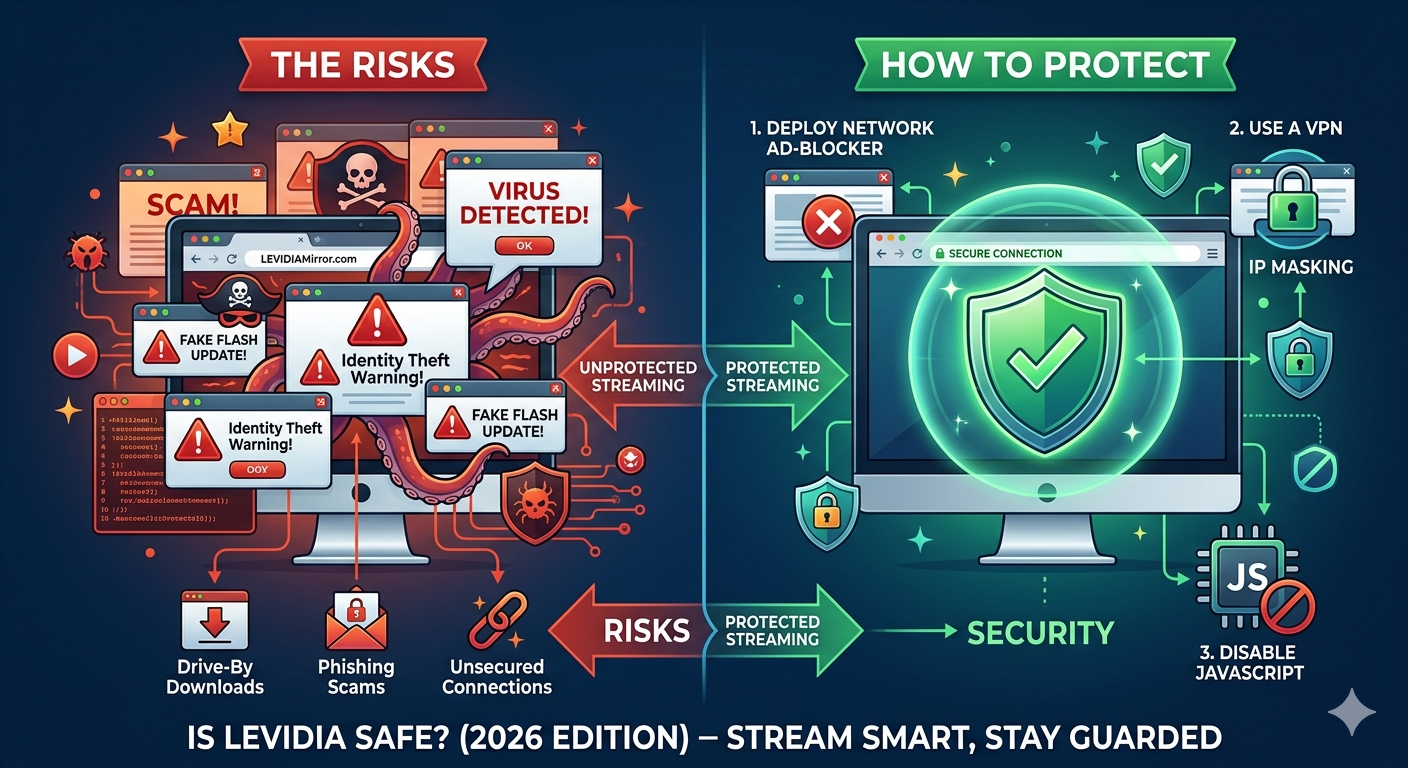
Free streaming platforms have fundamentally changed how we consume entertainment. Platforms like Levidia attract millions of monthly users who want to skip expensive multi-platform monthly subscriptions. However, as the old internet saying goes: “If you aren’t paying for the product, you are the product.”
When using unofficial streaming directories, the cost you pay isn’t monetary—it comes in the form of cyber risks, aggressive redirects, and endless pop-up advertisements. In this guide, we will analyze the exact safety profile of Levidia and give you a bulletproof strategy to shield your smartphone, laptop, or smart TV from malicious ads.
Is Levidia Actually Safe?
The short answer is: It depends entirely on how you protect yourself.
Levidia itself operates as a standard search index—it does not directly inject virus files into your browser when you open the homepage. However, because it hosts copyrighted content without official authorization, standard, secure ad networks (like Google AdSense) refuse to monetize the site.
To cover server costs and turn a profit, the platform relies on rogue third-party ad networks. These networks frequently employ aggressive monetization scripts, including:
- Malvertising: Ads that secretly run malicious scripts in the background.
- Pop-unders: Tabs that open silently beneath your active browser window, leading to sketchy software download pages.
- Fake “Play” or “Download” Buttons: Graphic overlays placed directly on top of the movie player designed to trick you into downloading unwanted browser extensions.
The Biggest Risks of Unprotected Browsing on Levidia
If you visit Levidia or its multiple active mirror domains (like .ch or .to) completely unprotected, your device is exposed to three distinct threats:
1. Drive-By Adware Downloads
Some advanced malicious pop-ups utilize “drive-by download” mechanics. Simply allowing the redirect page to fully load can trigger an automated background download of an .exe (Windows) or .apk (Android) file masquerading as a “Flash Player Update” or a “Required Video Codec.”
2. Phishing and Subscription Scams
Many pop-ups will simulate system alerts claiming: “Your Device is Infected with 13 Viruses!” These are designed to induce panic, forcing users to click and type in personal information, or worse, pay for fake premium antivirus subscriptions.
3. Identity Tracking via Unencrypted Servers
Because clone and proxy sites often switch domains overnight to evade ISP blocks, structural data encryption standards (SSL certificates) can sometimes lapse. This makes it easier for third-party trackers to log your real IP address and ISP details.
How to Protect Your Device from Pop-up Ads (Step-by-Step)
If you still choose to navigate Levidia, implementing the following security layers is not optional—it is mandatory for preserving your system health.
Step 1: Deploy a Network-Level Ad-Blocker
Standard browser ad-blockers can sometimes fail against advanced pop-under scripts. Switch to a reliable extension that actively blocks scripts before they execute.
- Top Recommendation: uBlock Origin (Open-source, highly customizable, and completely free across Chrome, Firefox, and Edge).
- Alternative: Brave Browser (Has a powerful built-in “Shields” mechanism that stops pop-ups natively without needing external add-ons).
Step 2: Use a Virtual Private Network (VPN)
A VPN routes your internet connection through an encrypted tunnel, hiding your physical IP location.
- Look for a VPN provider that includes a built-in malicious site filtering tool (such as NordVPN’s Threat Protection or Surfshark’s CleanWeb). This stops your browser from loading known malicious redirect loops even if you accidently click an ad.
Step 3: Turn off JavaScript for the Site (Advanced)
If you just want to browse titles without dealing with responsive ad elements, you can toggle site permissions in your browser settings to “Block JavaScript” specifically on the Levidia URL. This will freeze automated pop-up behaviors completely.
Quick Safety Checklist for Levidia Users
Before you press “Play” on any streaming source mirror, cross-verify your setup with this simple checklist:
| Action | Status | Why It Matters |
| Ad-Blocker Active | 🟢 Essential | Stops 95% of accidental new tab redirects. |
| VPN Connected | 🟢 Essential | Conceals your local network data from ISP tracking. |
| Clicking “Download” | 🔴 Avoid | Downloading unverified media files introduces malware risks. |
| Entering Card Info | 🔴 Avoid | Levidia is 100% free; requesting payment means it’s a scam clone. |
Summary: Stream Smart, Stay Guarded
Is Levidia safe? On its own, it is a basic media link directory. However, the aggressive advertising ecosystem that fuels it makes it a digital minefield for users without proper browser security. By equipping your setup with a strong, script-blocking ad-blocker and keeping your system antivirus updated, you can safely minimize risk factors while browsing online
For a complete breakdown of features and server networks, read our extensive Levidia Ultimate Guide